GoPros make great video cameras, but there is no questioning that they were designed to record action. Whether you’re filming extreme sports or a leisurely walking city tour, the GoPro is an obvious choice given its compact size and great video quality.
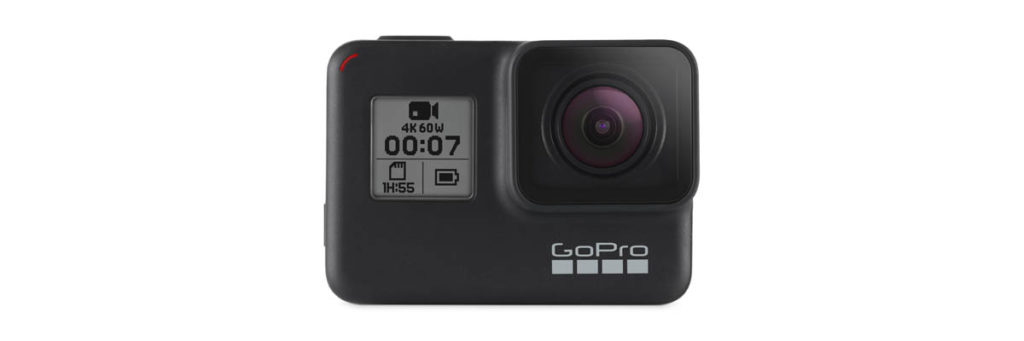
When we’re recording action, camera shake is always going to be a potential problem. Even with the latest GoPro Hero 7 which features the new “HyperSmooth” electronic image stabilization technology, tackling camera shake with software has its limitations.
A 3-axis GoPro gimbal is the ultimate GoPro accessory to help you record buttery smooth video footage. However, choosing the best GoPro gimbal can be very difficult given the sheer number of different gimbals available today.
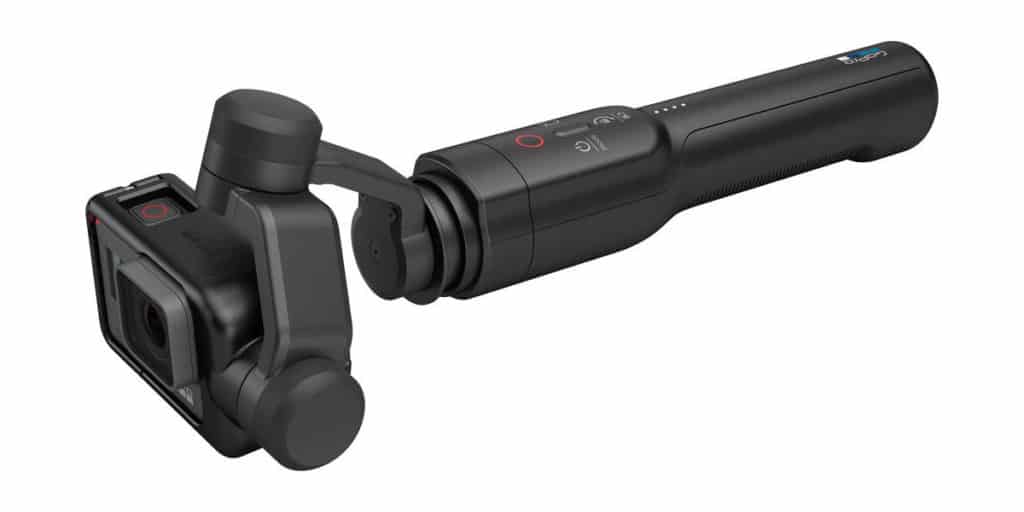
The GoPro Karma Grip (left) and Feiyu Tech G6 (right) are our favorite handheld GoPro gimbals this year.
In this buyer’s guide, we’ll be going through the best gimbals money can buy right now. We’ve not only tested them ourselves, but also aggregated the feedback from other reviewers and users.
Different gimbals suit different needs, so the list is broken down into four different categories: best handheld gimbal, best wearable gimbal, best 2-in-1 gimbal and best budget gimbal.
At A Glance – Best GoPro Gimbals 2019
Best handheld gimbal: GoPro Karma Grip and Feiyu G6 (TIE)
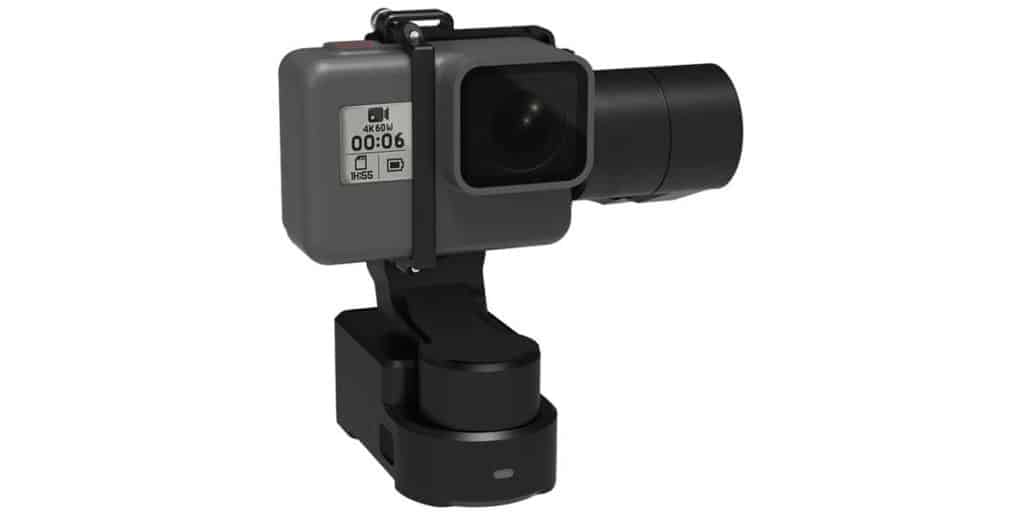
Best wearable gimbal: Feiyu WG2X Wearable Gimbal
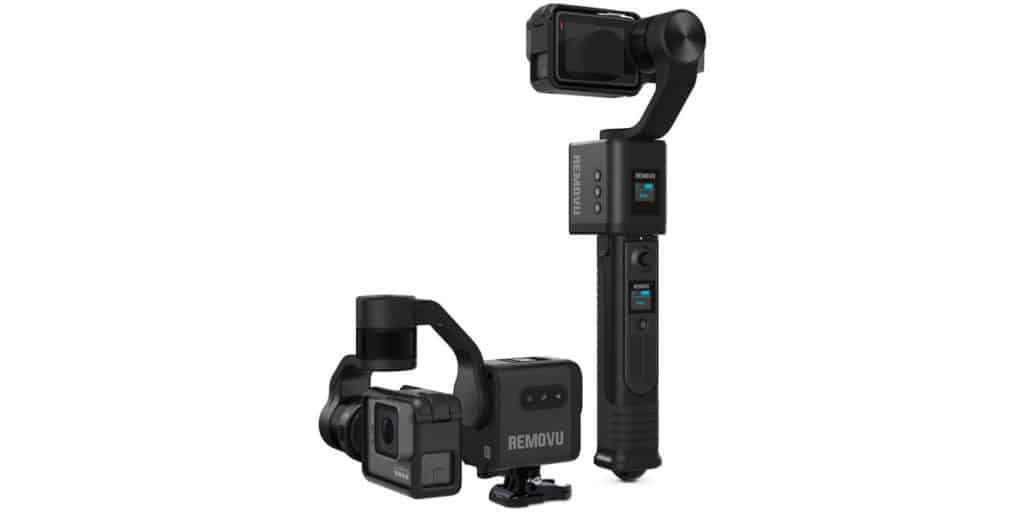
Best 2-in-1 gimbal: Removu S1
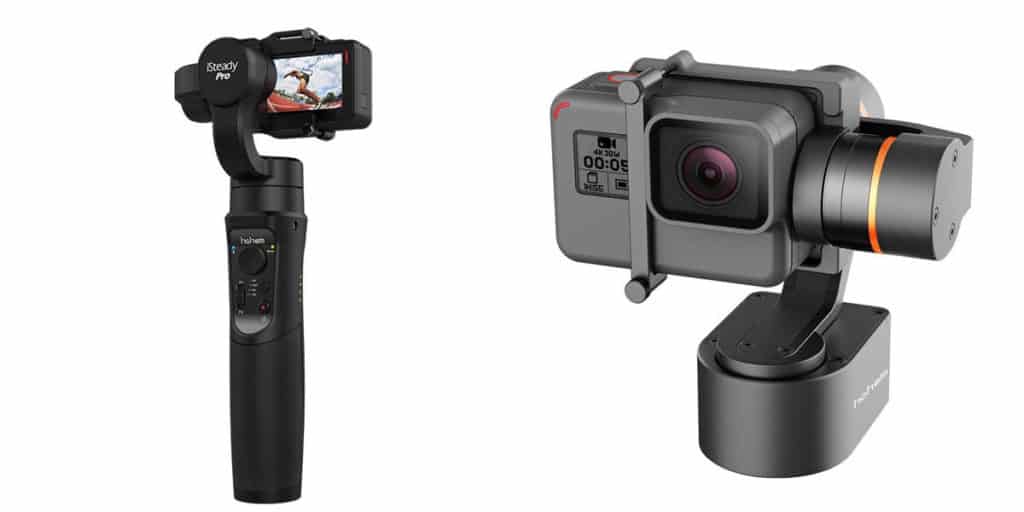
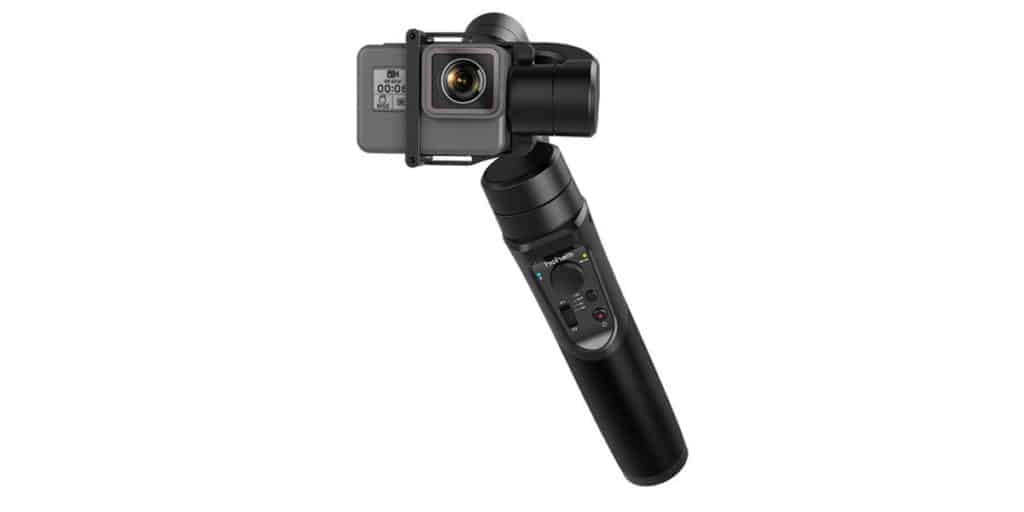
Best budget gimbal: Hohem iSteady Pro
Wearable Gimbals vs Handheld Gimbals
It is important to determine whether you want to hold your camera or wear your camera
Before we take a closer look at our winning picks, let’s talk about the differences between wearable gimbals and handheld gimbals.
Handheld gimbals feature a grip so you can walk around with your GoPro in your hand. It’s the ideal setup if you want complete freedom over camera movements.
But when you’re filming extreme sports, a handheld gimbal might be too cumbersome. For example when you’re out mountain biking, there’s no way you’ll have a hand free to hold up your camera. A wearable gimbal can be mounted to your chest, your handlebars, or just about anywhere you can think of.
There are also a few other subtle differences between the two kinds of gimbal. Being more compact, wearable gimbals feature smaller batteries which don’t last as long as the handheld gimbals which typically fit their batteries in the hand grip. When being worn, they also need to be attached to your body somehow, which might require some additional accessories like a chest harness or shoulder strap.
Best Handheld Gimbal: GoPro Karma Grip
Pros
Excellent stabilization
Ergonomic design
Ease of use
Official Accessory
Cons
Battery Life
Price
My Rating
4.5/5
Who’s it for?
The GoPro Karma Grip doesn’t come cheap, but those after superb stabilization and native compatibility with GoPros, look no further than GoPro’s very own Karma Grip. Despite being a slightly older gimbal, it still manages to perform better than almost every other third-party gimbal.
Compatibility
The GoPro Karma Grip is compatible with the HERO4/5/6/7 Black and HERO4 Silver. GoPro HERO4 owners will have to purchase the HERO4 Karma harness. The Karma Grip is not compatible with non-GoPro action cameras.
As one might expect from an official product, mounting the GoPro to the Karma Grip is as simple as opening the harness and inserting the camera.
Karma Grip Overview
The Karma Grip gets its name from GoPro’s Karma drone. Although the Karma drone wasn’t a commercial success, they were able to salvage the drone’s gimbal and pair it to a hand grip, to leave us with the Karma Grip.
GoPro decided to keep things simple with the Karma Grip. It only features two shooting modes (pan follow and following) and lacks extra features like a pan/tilt joystick or selfie mode.
The gimbal has long been considered to produce the best image stabilization of any GoPro gimbal to date. While third-party gimbals play catch up, GoPro have consistently released firmware updates to iron out some of the performance issues that used to exist.
Since the gimbal can be detached from the grip, it can technically also function as a wearable gimbal. However, because the gimbal’s battery is located in the handgrip, you need to purchase the Karma Grip extension cable and keep the grip with you.
What I Liked
The Karma Grip’s biggest strengths are its ease of use and top-notch stabilization performance. It works seamlessly with GoPros and doesn’t involve installation of any third-party gimbal companion apps which other manufacturers use for firmware updates or configuring settings.
While the GoPro Karma Grip is noticeably bigger compared to a lot of its competitors, it feels incredibly nice in the hands. Being able to feel the additional weight in your hands also makes moving the gimbal around feel more controlled.
What I Didn’t Like
Costing significantly more than third-party offerings, the GoPro Karma Grip doesn’t offer the best value for money. GoPro gimbals from the likes of Feiyu and Zhiyun have been closing the stabilization performance gap and typically cost half as much as the Karma Grip.
The Karma Grip also shows its age in its disappointing battery life. Recording at 4K, you can only expect around 2 hours of recording time. One of the reasons for this is that it always simultaneously charges your GoPro camera, meaning the battery is drained from two sources. Read Full Review: GoPro Karma Grip
Best Handheld Gimbal: Feiyu G6 (TIE)
Pros
Excellent stabilization for the price
Long battery life
Compatibility with other action cameras
Cons
Fiddly mounting procedure
My Rating
4/5
Who’s It For
The Feiyu Tech G6 is a solid all-round GoPro gimbal that offers great stabilization performance for the price. For those looking for a handheld gimbal but aren’t quite willing to splash out on the GoPro Karma Grip, the G6 is a great alternative.
Compatibility
GoPro wise, the G6 is fully compatible with all GoPro 3/3+/4/5/6/7 models. It is also compatible with similar sized action cameras like the Yi 4K/4K+, AEE and Xiaomi Mijia. The box also includes a separate frame for the Sony RX0 action camera.
Feiyu G6 Overview
Feiyu are one of the biggest gimbal brands today and the G6 is their flagship GoPro gimbal. Its small and slick IP67 splash proof body packs in a small LCD display and other nifty features like an external mic port and slider to control the roll of your camera.
Despite looking almost identical, the G6 is a big step up from its flawed predecessor, the Feiyu G5. The G5 had some funky stabilization issues with obvious microjitter, but the G6 holds its own against the considerably more expensive GoPro Karma Grip.
Other non-essential but nice new features are its angled arm and additional thread needle on the side of the grip. The angled arm makes it so that the arm rarely obstructs the GoPro’s LCD screen.
The G6’s companion app, Feiyu ON, allows you to link up your smartphone and gimbal over bluetooth and control the gimbal remotely. This means you could remotely pan and tilt the gimbal or even setup motion time lapses while your gimbal and GoPro is in another room.
What I Liked
The stabilization performance on third party handheld gimbals can be hit or miss. Fortunately, the G6 is a top performer and it doesn’t disappoint. When reviewing zoomed in footage, the G6 footage was slightly more shaky than the Karma Grip footage but only marginally so.
The G6 has a bunch of features the Karma Grip lacks, like an informative LCD screen which tells you things like the remaining battery life and current shooting mode. The external mic port will be welcomed by those recording audio-sensitive footage, since motor noise is a very common issue with any motorized gimbal.
Finally, Feiyu went with a 5000mAh removable battery which can last for up to 12 hours on a single charge. You can therefore swap out the battery as you please, although most people will rarely find themselves needing to do so.
What I Didn’t Like
Mounting your GoPro to the Feiyu G6 is a somewhat fiddly procedure, requiring adjustment of hand screws. Attaching your camera is a lot more troublesome than with the Karma Grip, which is a case of simply slotting the camera in its harness. Read Full Review: Feiyu Tech G6
Best Wearable Gimbal: Feiyu WG2X
Pros
Great Stabilization
Easily Worn
Can also be used as handheld gimbal using included tripod
Cons
Battery Life
Might require other accessories if being worn, increasing cost
My Rating
4/5
Who’s It For
For those who want to wear their camera on their chest or on their helmets, getting a wearable gimbal like the Feiyu WG2X is a no-brainer. Wearable cameras are are also more versatile when it comes to mounting–not having a hand grip makes it much more stable when mounting the gimbal to handlebars, RC cars and the like.
Compatibility
The Feiyu WG2X supports the GoPro HERO7 (all models), HERO6, HERO5, HERO4 as well as the HERO Session via the included Session mount adaptor.
Similar sized action cameras like the Yi 4K/4K+, Sony RXO and SJCam, are also supported.
WG2X Overview
The Feiyu WG2X is an update of the well-received WG2 wearable gimbal. Although on the surface they appear very similar, the WG2X has improved stabilization performance, an angled gimbal arm and the ability to control it remotely.
Its compact design makes it easily worn with chest harnesses or shoulder straps. It can also easily be attached to desktop tripods, selfie sticks and handlebars that fit its universal quarter-inch thread needle.
This wearable GoPro gimbal features three shooting modes: pan follow, following and locked. Unlike other popular wearable gimbals like the Zhiyun Rider-M and Hohem XG1, the WG2X has an unlimited range of motion in the pan and tilt axes (as opposed to 320-degrees).
Through the Feiyu ON App, you can control the WG2X remotely using your phone. This is an especially useful feature for wearable gimbals which are difficult to access when worn.
What I Liked
Most wearable gimbals are very similar, so the only point of differentiation is stabilization performance. The WG2X shines in this area, beating out the likes of the equally popular EVO SS and Hohem XG1. Thanks to its software update, the stabilization is also a noticeable upgrade to its predecessor, the WG2.
The angled gimbal arm, though hardly essential, is a nice touch. When mounted to a chest harness, the gimbal arm no longer blocks the GoPro display.
Included in the box is a small tripod. When you close the legs of the tripod, it essentially becomes a grip of its own meaning you can use the WG2X as a handheld gimbal.
What I Didn’t Like
Being a wearable gimbal, the WG2X has a smaller 1500mAh battery that can be housed within its compact body. This means the battery life will only last around 2.5 hours on a single charge. Unfortunately, this is the case with almost every other wearable gimbal out there.
Unlike the WG2 which was rated IP67 waterproof, the WG2X is merely splashproof and is therefore less water-resistant. It is fine for use in light rain, but attempting to use the gimbal in watersports will most likely result in motor damage. Read Full Review: Feiyu Tech WG2X Wearable Gimbal
Best 2-in-1 Gimbal: Removu S1
Pros
Great Stabilization
Versatile
Removable Battery
Removable remote control
Cons
Motor noise
Fiddly modular design
My Rating
4/5
Who’s It For
Want a handheld gimbal with the ability to transform into a wearable gimbal? The Removu S1 is your answer. Its modular design means the grip can be detached, leaving a wearable gimbal that can be mounted just about anywhere. Unlike the GoPro Karma Grip which can function as a wearable gimbal if you put in the effort, the Removu S1 was designed to be a dual-purpose gimbal from the ground up.
Compatibility
The Removu S1 is compatible with the GoPro HERO7/6/5, HERO4/3+/3 and Hero Session cameras using different housing frames (included). It is not compatible with non-GoPro action cameras.
Removu S1 Overview
Removu are a little-known Korean GoPro accessory manufacturer who have engineered something quite special in the Removu S1. Featuring a rainproof modular design, the S1 offers unmatched versatility.
By detaching the handgrip, you are free to mount the gimbal anywhere, just as you would with a true wearable gimbal. Furthermore, the handgrip itself features a removable bluetooth wireless remote control. That means you can remotely control the gimbal even if it’s mounted on your helmet or to your chest.
Unlike most other GoPro gimbal batteries, the S1’s battery is removable. Removu have generously provided a battery charger which can charge up to two batteries simultaneously. The S1 will last for between 3-5 hours on a single charge.
The Removu S1 features three shooting modes (pan follow, following and locked) and can be used inverted for those underslung shots. The remote control is quite fancy, with a helpful LED display and joystick to electronically pan and tilt the gimbal.
What I Liked
Versatility is the Removu S1’s main strength. There is simply no other gimbal that can be used as a handheld gimbal or wearable gimbal. The GoPro Karma Grip might be an exception, but it’s difficult to call that a true 2-in-1 gimbal, since the battery is housed in the grip.
The Removu S1 comes in a very classy design. It feels well built, if a little bulky being the heaviest gimbal in the whole list. Small bonuses like its removable battery and removable remote control are the icing on the cake.
Performance wise, the Removu S1 delivers very smooth footage. It isn’t quite as smooth as the Karma Grip or G6, but it’s definitely one of the better stabilizers out there.
What I Didn’t Like
The biggest issues with the Removu S1 are its loud motor noise and somewhat sluggish follow modes.
Compared to other gimbals, motor noise is more noticeable. This might not be an issue for some, but those doing more audio-sensitive work like vlogging might take an issue with it.
When you pan left and right or tilt up and down, the S1 is a bit slow to follow, even when the follow speed is cranked to the max. It’s not ideal if you’re filming scenes with quick camera movements. Read Full Review: Removu S1 GoPro Gimbal
Best Budget Gimbal: Hohem iSteady Pro
Pros
Price
Feature Rich
Battery Life
Cons
Cheap build quality
Not weatherproof
My Rating
4/5
Who’s It For
For those videographers looking to drastically reduce camera shake without breaking the bank, the Hohem iSteady Pro is one of the very few budget-friendly gimbals that comes in at just under $100.
Compatibility
The iSteady Pro is compatible with the GoPro HERO7/6/5/4/3+/3 and other similarly sized sports cameras, including the Yi 4K, Yi 4K+, AEE and SJCAM.
Hohem iSteady Pro Overview
Despite its low price tag, the iSteady Pro isn’t short on features. In fact, with four shooting modes, 640° range of motion in the pan axis and a 12 hour battery life, the gimbal even manages to beat out more expensive competition on paper.
The small handgrip packs in a decent number of controls, including a joystick to electronically adjust the pan and tilt. In addition to the standard buttons you’d expect on a gimbal, there’s also programmable hotkeys which can be set in the Hohem Gimset App.
The Hohem iSteady Pro isn’t lacking in features, but the overall build quality is what you would expect from a budget gimbal. The body doesn’t feel as robust as more expensive gimbals, nor is it weatherproof.
What I Liked
There are simply no other GoPro gimbals that perform as well as the iSteady Pro within a $100 budget. Hohem have brought motorized gimbal stabilization to the more casual GoPro user, and haven’t skimped on features either.
What I Didn’t Like
The iSteady Pro definitely feels like an entry-level GoPro gimbal. It doesn’t have the ruggedness of the other gimbals and its motors are a little slower than the more expensive gimbals. Stabilization performance is good, but you’ll want to make sure you’re taking light steps and holding the camera as steady as possible to ensure you get the smoothest possible footage. Read Full Review: Hohem iSteady Pro
Honorable Mention: Freevision Vilta-G
Another 2-in-1 gimbal, the Freevision Vilta-G is a solid alternative to the Removu S1. Top notch build quality, a very comfortable grip, decent stabilization performance and quiet motors are just enough to justify its high price tag.
The Freevision Vilta-G lacks the innovative features found on the S1 like the removable battery and remote control. It’s also not weatherproof, so if you don’t mind the louder motor noise, the Removu S1 is a better choice overall. Read Full Review: Freevision Vilta-G GoPro Gimbal
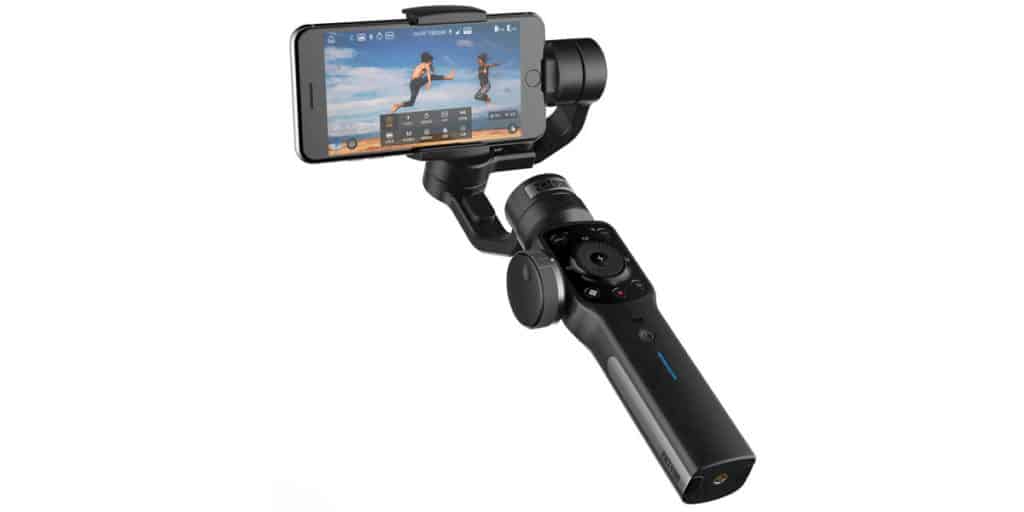
While technically not a GoPro gimbal, the Zhiyun Smooth 4 is a highly rated smartphone gimbal that can also house a GoPro within its adjustable spring clamp. GoPro mount plate adaptors can also be purchased separately to make sure the GoPro is better secured.
The Smooth 4 isn’t really designed for the kind of activity typically associated with GoPros, since smartphone gimbals are generally not weather proof and have slightly slower follow speeds. But for those who spend a lot of time filming with their phone and only occasionally take out their GoPro, the Smooth 4 is worth a look.
Note that since it is not natively compatible with the GoPro, you won’t be able to use its buttons to control your GoPro. However, it will at least balance your GoPro and stabilize footage.
More Buying Tips
Understanding Shooting modes
The majority of GoPro gimbals feature two or three shooting modes. These are: Pan-following: The gimbal will react to keep the horizon level, but follow movements in the pan axis (sideways). Following: The gimbal will follow movements in the pan (sideways) and tilt (up and down) axes, while making sure the footage is stabilized. Locked: This shooting mode locks the GoPro’s orientation in all three axes (pan, tilt and roll). This effectively means the GoPro lens will always be aimed at the same target.
Some GoPro gimbals (including the GoPro Karma Grip) do not feature the locked mode. If you feel this is an important shooting mode to have, this should weigh into your purchase decision.
Can I Use A GoPro Gimbal As A Smartphone Gimbal?
GoPros are lighter and more compact than today’s typical smartphone. As a result, most GoPro gimbals cannot support such a heavy payload, and their frame housing will not accommodate a smartphone in the first place.
On the other hand, smartphone gimbals are generally able to accommodate GoPros. However, using a smartphone gimbal as a GoPro gimbal comes with its own problems, and is not an ideal setup. Generally speaking, it’s recommended to purchase a GoPro gimbal for your GoPro and a smartphone gimbal for your phone.
Are GoPro Gimbals Waterproof?
GoPros and other action cameras are mostly waterproof these days, but most GoPro gimbals are not fully waterproof. Gimbals feature rotating pivots powered by brushless DC motors, and it is difficult to fully protect these moving parts from water damage if submerged. Many GoPro gimbals, are however, splash proof or weather resistant. Here are how the gimbals in this list fare against the elements:
GoPro Karma Grip: Weather Resistant (Light rain and snow)
Feiyu Tech G6: Splashproof (Heavier rain and snow)
Feiyu Tech WG2X: Splashproof (Heavier rain and snow)
Removu S1: Weather Resistant (Light rain and snow)
Feiyu Vilta-G: Not weather resistant
Zhiyun Smooth 4: Not weather resistant
Wrapping Up
Choosing the best gimbal for your GoPro is a tricky process, but it ultimately depends on how and where you plan to use your GoPro to record footage.
Most people will probably want to go with a handheld gimbal, unless certain the GoPro will be worn. Filming with the GoPro in your hand is the most natural setup, and a handheld gimbal basically becomes a GoPro grip that just happens to stabilize the recordings.
The GoPro Karma Grip (Official accessory) has been engineered to work seamlessly with the GoPro, and features the best stabilization across all the gimbals. However, it is quite expensive and not without faults of its own. The Feiyu G6 is also worth a look, being both cheaper and offering some features missing on the Karma Grip.
On the other hand, wearable gimbals take a bit of fiddling around to get started. You’ll need to think about where to wear or mount it. You might need to purchase some additional accessories to successfully mount the gimbal. The WG2X is our favorite wearable gimbal, thanks to excellent image stabilization and a few neat features that other wearable gimbals lack.
Finally, if you’re keen on the idea of being able to use a gimbal in your hands and worn, the Removu S1 might just be what you’re looking for. Its modular design is a bit fiddly and its motors are louder than other gimbals, but if you can look past that it’s a very capable and versatile GoPro gimbal.
Whether its a monopod, tripod, steadicam, shoulder rig, easy rig or a gimbal–a filmmaker needs to have some kind of stabilization. There’s no doubting that 3-axis gimbals are all the rage nowadays, and they’re selling like hotcakes.
It’s easy to see why. The creativity of Vloggers, amateur filmmakers and videography hobbyists was always limited by their gear. Steadicams or easyrigs were simply out of the question. Too expensive, and not to mention the attention you’d attract walking around with a harness.
Gimbals changed that. Smooth and cinematic in-motion shots that look completely professional are now possible. You no longer have to pass on those moving shots that would simply be too jittery without one.
From smartphone gimbals like the DJI Osmo Mobile to professional gimbals like the MoVi Pro or DJI Ronin 2 which cost thousands of dollars, there’s a gimbal for every kind of filmmaker.
In this buyer’s guide I’ll be running you through the best DSLR gimbals for the consumer market. I’ll be comparing them on things like stabilization quality, maximum payloads, build quality, price and more.
Best DSLR Gimbals At A Glance
Here are my top 3 recommendations for the year:
Best overall: DJI Ronin-S
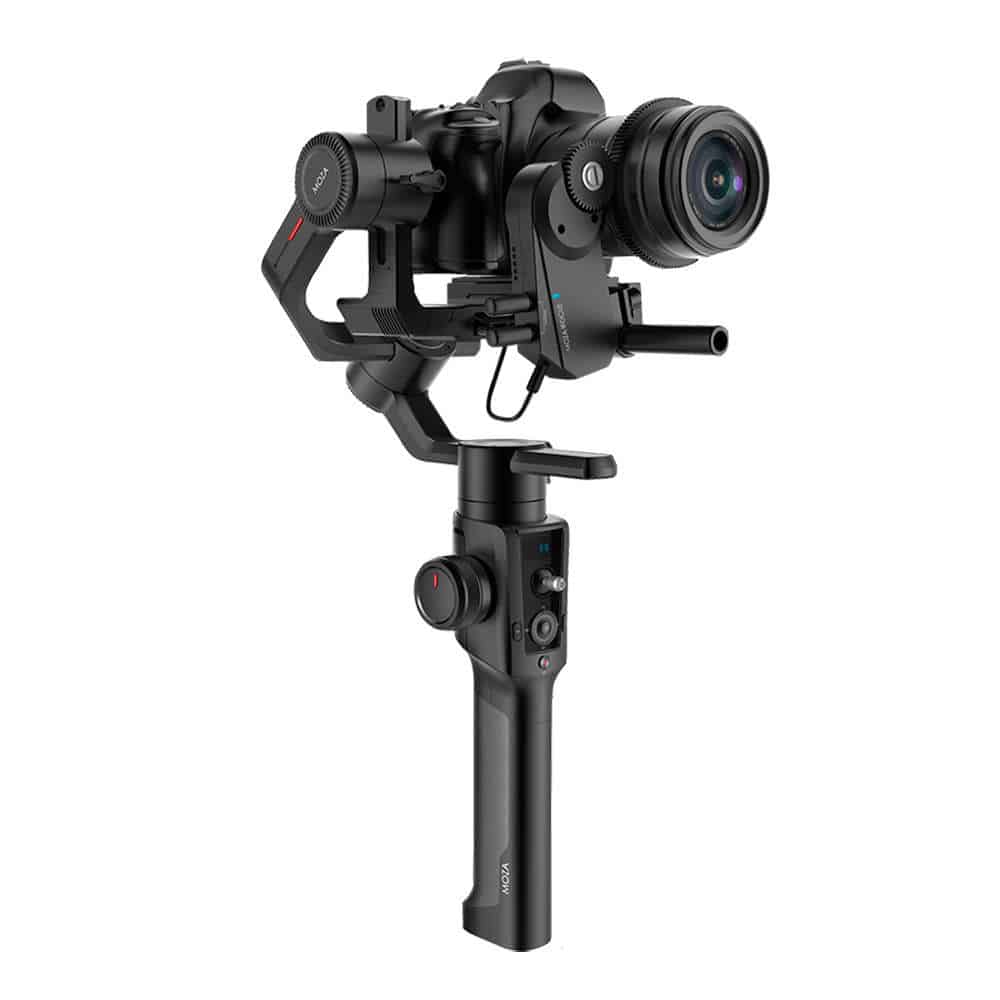
Runner-up: Moza Air 2
Best for heavier setups: Zhiyun Crane 3 LAB
…and here are some other options worth considering:
Zhiyun Crane 2
Tilta Gravity G2X
DJI Ronin-M
Beholder DS1
FLYCAM Redking Mechanical Gimbal Stabilizer
Now let’s take a look at each of these gimbals in more detail…
1. DJI Ronin-S
Best overall
Load capacity: 7.94 lb / 3.6 kg
Pros
Excellent stabilization
Good build quality
12-hour battery life
Grip unscrews for easy packing
Cons
Heavy
Non-removable battery–can purchase another grip if a spare is needed.
My Rating
4.5/5
Check price on Amazon
Despite starting out as a drone manufacturer, there is no doubting that DJI are the most prolific gimbal manufacturer of today. While they dominated the mobile and professional gimbal market, they didn’t have an under $1000 handheld gimbal for DSLR and mirrorless camera owners.
That was until the release of the Ronin-S in 2018, which was so highly anticipated it sold out during pre-orders.
It didn’t disappoint. The DJI Ronin-S is probably the closest thing to a perfect DSLR gimbal you can get right now. Granted, it has a few small issues and is a bit heavy, but it just does so many things better than its competition.
The build quality is a cut above the rest. It feels more robust than the plasticky gimbals produced by Zhiyun, Moza and other brands. The software and companion app are more polished. The stabilization quality is top notch. The list just goes on.
The maximum payload of 8 lbs (3.6 kg) means the Ronin-S is capable of mounting DSLR setups with heavier cine lenses and other accessories.
The weight of the Ronin-S is definitely the biggest complaint I see on the internet, but it’s something you will adapt to. That being said, mirrorless camera owners would do better by going for the newer and lighter Ronin-SC (with the ‘C’ standing for compact).
Despite being a heavy gimbal, it packs down smaller than almost all the other gimbals thanks to its removable base. This actually makes it a an excellent handheld gimbal for travel.
2. Moza Air 2
Best value for money
Load capacity: 9.25 lb / 4.2 kg
Pros
Excellent stabilization
16-hour battery life
Wide range of direct controls
Cons
Slightly buggy software
Poor customer support from Moza
My Rating
4/5
Check price on Amazon
Before the Moza Air 2 came out, the DJI Ronin-S was the best DSLR gimbal around. Period. However, following the release of Gudsen’s Moza Air 2, we have a solid, cheaper alternative.
Costing $599 at release, the Moza Air 2 is $150 cheaper than the DJI Ronin-S. What you might not expect from a gimbal of its price is the sheer number of features it boasts.
The Moza Air 2 features some of the best controls I’ve seen from any gimbal. You can adjust focus, roll and make changes to the settings just by using the controls on the gimbal itself along with the OLED to navigate menus. The DJI Ronin-S doesn’t have as many direct controls and you’ll often find yourself needing to make adjustments from the smartphone companion app.
This gimbal also bundles a quick-release plate that makes it possible to take your camera off and put it straight back on without needing to rebalance the gimbal. This makes switching between a tripod and gimbal incredible quick–which is all the more important when filming for things like wedding gigs where time is of the essence.
The Moza Air 2 also impresses in other departments. It can carry a payload of 9 lb (4.2 kg) and its four removable Li-ion 18650 batteries can last up to 16 hours on a single charge.
I think the Moza Air 2 is a terrific gimbal and it actually presents more value for money than the Ronin-S. However, the gimbal doesn’t feel quite as solid as the Ronin-S. The software from Gudsen is inferior and the accessory ecosystem isn’t quite as developed as DJI’s. Furthermore, I’ve also heard some bad stories about their customer support, so be aware of that too.
3. Zhiyun Crane 3 LAB
For the heaviest camera and lens combinations
Load capacity: 10 lb / 4.54 kg
Pros
Excellent stabilization
Handles the heaviest of setups
Wirelessly stream image to your smartphone.
Cons
7.5 hour battery life
Expensive
My Rating
4/5
Check price on Amazon
Before the DJI Ronin-S was around, Zhiyun dominated the under $1000 DSLR/mirrorless camera gimbal market with the Crane 2. It’s no wonder that people were incredibly excited for the Crane 3’s release.
Zhiyun ended up releasing two gimbals to succeed the Crane 2: the Crane 3 LAB and the Weebill LAB. The Weebill LAB was designed with mirrorless cameras in mind, while the Crane 3 LAB was aimed towards those with bigger setups.
With a base price of $899, the Crane 3 is one of the more expensive DSLR gimbals around. However, it does have a few big advantages up its sleeve.
First of all, it has two independent grips which means there are a variety of ways in which the gimbal can be held. It also makes it the easiest gimbal to put into underslung or briefcase mode.
Out of all the single-handed gimbals, this one has the highest maximum payload of 10 lb (4.5kg). This gives the user incredible flexibility in lens and camera packages without straining the gimbal motors.
And lastly, it features wireless image transmission, meaning it is possible to stream the image to your smartphone over WiFi. This enables real-time monitoring, framing and camera control (provided your camera is fully compatible).
Overall the Crane 3 LAB is a great gimbal for DSLR owners. It costs more than the Ronin-S and doesn’t feel quite as robust, but comes with a number of compelling features that makes it a worthy consideration.
4. Zhiyun Crane 2
Old but gold
Load capacity: 7 lb / 3.2 kg
Pros
Good value for money with follow focus unit included in bundle
18-hour battery life
Cons
Poor ergonomics
Rear motor obstructs camera’s LCD display
My Rating
4/5
Check price on Amazon
The Crane 2 might not be the newest gimbal in town but it is still an incredibly capable one. Now being sold at a discounted price and also commonly available second-hand, this is a great budget option.
It has a maximum payload of ~7lbs (3200g) meaning it can support a good range of camera setups. The 18-hour battery life is also quite impressive, and being removable batteries there’s always the option for purchasing spares.
Unfortunately, there are a few drawbacks to it which you don’t see in the latest generation of DSLR and mirrorless camera gimbal stabilizers. The rear motor is not offset, meaning it obscures the view of your camera’s LCD display. Secondly, the hand grip is basically just a metal cylinder which isn’t ergonomic at all.
5. Tilta Gravity G2X
Amazing build quality let down by various problems
Load capacity: 8 lb / 3.63 kg
Pros
Superb build quality and design
Cons
Heavy
Expensive
Various issues being reported from users
My Rating
3.5/5
Check price on Amazon
Tilta are better known for their expensive camera cages than their 3 axis handheld gimbals, but their Gravity G2X impressed many with its superb build quality. Even compared to the Ronin-S, the G2X feels more robust. And who doesn’t like the aesthetically pleasing pistol grip with brazillian rosewood covering either side?
With a maximum payload of 8 lb and weighing over 4 lb with batteries in place, the G2X is very comparable to the Ronin-S in terms of size and payload capacity. It also costs $790, placing it just above the DJI in terms of price. So why don’t I consider it to be as good, or at least as good as the Ronin-S?
Unfortunately, as good as the hardware is, the software is very buggy. Furthermore, many consumer reviews reported various issues including calibration errors, motors mysteriously shutting off and poor localization. Unlike the hugely popular Ronin-S, the Tilta Gravity G2X is a bit of a gamble that hasn’t been tried and tested as extensively.
6. DJI Ronin-M
A good but cumbersome dual handle gimbal
Load capacity: 8 lb / 3.6 kg
Pros
Two grips on either side for maximum stability
Cons
Very cumbersome
Expensive
My Rating
3.5/5
Check price on Amazon
The Ronin-M has been around since 2015 and for a long time it was DJI’s flagship consumer gimbal stabilizer. Costing $1199 at release, the Ronin-M was not cheap.
Unlike all the popular single-handed DSLR gimbals you see these days, the Ronin-M is a two-handed gimbal. The camera sits in the middle while you grip the gimbal by the handles on either side. This design makes it easier to keep your gimbal as stable as possible.
However, the Ronin-M’s biggest problem is its size. It’s heavy, you can’t easily throw it in your backpack and you’ll attract a lot of attention as you walk around filming. It’s also fairly old tech meaning calibration is slow and it doesn’t offer newer in-app tools like keyframing which comes with the newer Ronin-S.
While there is a good argument to go with the Ronin-M if you have a large digital cinema camera like the Canon C300, it’s not a practical choice for those using DSLRs or mirrorless cameras. If you really want a dual handle setup, you can always get a dual handgrip accessory for your single-handed gimbal like this one from SmallRig (compatible with Ronin-S and the Zhiyun Crane series).
7. Beholder DS1
A gimbal for the technophobes
Load capacity: 4.4 lb / 2 kg
Pros
Uncomplicated gear
Cons
Low maximum payload
Outdated technology
My Rating
3/5
Check price on Amazon
If you hate technology but want to reap the stabilization benefits of a 3-axis brushless gimbal stabilizer, the Beholder DS1 might be for you. It’s a first-generation DSLR gimbal meaning it’s pretty old and doesn’t have the advanced feature set we’ve begun to expect from gimbals nowadays.
The stabilization performance is decent, although it has noticeable micro jitter compared to the likes of the Crane 2. That’s quite important, because the DS1 doesn’t do much else. Simply mount your camera on it, calibrate and start filming.
Still costing $439, years after release–I wouldn’t purchase it new. Spending a few extra dollars will net you the latest Moza or Zhiyun gimbal which are far superior overall. However, I’ve seen used DS1s go for around $200 or less, at which point it becomes good value for money gear.
8. FLYCAM Redking Video Camera Stabilizer
Old-school mechanical gimbal
Load capacity: 15.4 lb / 7 kg
Pros
Inexpensive
Less parts that can go wrong
Cons
Difficult to use well
Cumbersome
My Rating
4/5
Check price on Amazon
Ah, the good ol’ glidecam. Before 3-axis gimbal stabilizers were a thing, Glidecams were the go-to accessory for video stabilization at a reasonable price.
Even in this era of electronic gimbals, glidecams serve a purpose. Amounting to little more than a stick with some weights on it, they stabilize footage using the basic laws of motion.
The resulting footage has a floatier and organic feel which can, at times, be desirable.
However, there is no doubting that it is difficult to achieve the same level of stabilization using a glidecam or rip-off glidecam. They require a high level of operator skill and even then the footage might not be satisfactory.
More Buying Tips
How do gimbals compare to other video stabilization methods?
The gimbal is relatively new technology, only made possible by intelligent software that reacts to motion detecting sensors. It’s only recently that they’ve dropped to a price that is not only cheaper than traditional stabilizing gear, but now there are consumer-grade gimbals that are affordable for YouTubers, amateur filmmakers and those who simply pursue videography as a hobby.
Not only are they accessible to non-professionals, they are also easier to use, much lighter and potentially provide superior stabilization overall. There is no doubt that to achieve the smoothest video on a budget and relative ease, gimbals are currently the way to go.
What are pan-follow, follow, locked and tracking modes?
A gimbal is able to make adjustments in three axes using its three brushless motors: pan, roll and tilt.
Pan-following keeps the horizon straight by locking the roll and tilt but following any movements you make in the pan axis. Follow mode will not lock any axis, but eliminate jitter by making micro adjustments which smooth out each and every movement. Finally, locked mode locks the camera’s orientation, meaning your camera lens will stay pointed at the same target.
Some gimbals feature tracking, which uses AI to keep the camera pointed at an object you specify.
I purchased a gimbal but the footage isn’t perfectly smooth. Should I return it?
DSLR gimbals should be perfectly balanced before operating the gimbal. Afterwards, you’ll need to go into the settings and do some fine-tuning. I’ve used many gimbals in the past and it typically takes a few days of recording to get to a point where I’m happy. Last but not least, there is some skill in using a gimbal, so don’t expect your new fancy gadget to do everything for you.
Conclusion
As DSLR cameras become less popular and mirrorless camera adoption grows, companies are beginning to shift focus towards smaller gimbals which are easier to carry around. Unfortunately, despite technically being compatible, many of these don’t play well with the weight of many DSLR and lens combinations.
I would therefore first and foremost recommend getting a gimbal that can handle heavier payloads. This is the main reason I put the DJI Ronin-S, Moza Air 2 and Zhiyun Crane 3 LAB as my top 3. If I was using a mirrorless camera, the Zhiyun Weebill LAB and all-new Ronin-SC make more sense.
I hope you enjoyed reading through this buyer’s guide. Please leave a comment if you have any feedback or would like to put forward your own best gimbal for DSLR recommendations.
If you asked me what I thought about action cameras a few years back I might have scoffed and told you they’re just a fad. However, the GoPro HERO3+ I was gifted back in 2013 completely changed my mind.
Some people would say modern camera phones have made action cameras redundant. After all, phone cameras are fantastic these days and you there’s a whole selection of outdoor phone accessories on the market today.
But action cameras aren’t going anywhere. Action cameras are awesome. That’s something you find out the moment you actually step outdoors and record anything adventurous.
Whether it’s lifting it up on a selfie stick when you’re going down a slide, mounting it on your bike helmet or even taking it underwater diving – the benefits of owning an action camera are numerous.
For those of you on tighter budgets, I’ll be going through my list of the top action cameras under $100 available today.
To GoPro Or Not To GoPro
The GoPro HERO7. A fantastic action camera with a $400 price tag.
Personally, I feel that if your budget allows it, going for a GoPro has many advantages. The GoPro doesn’t necessarily have the best capture quality or best technical specs, but they’ve developed their own ecosystem that makes doing everything a breeze.
The GoPro camera’s user interface is top-notch, the iOS/Android app is great and there’s certainly no shortage of great support and custom accessories. They’re a bit like the iPhone of action cameras.
There’s no shortage of people who would disagree with me. New Chinese brands are producing action cameras with features on par with the most expensive GoPros, and in some aspects superior. Most ‘GoPro’ accessories are compatible with these cameras nowadays, so there’s more competition than ever before.
Regardless of any brand preference you might have, the cheapest new GoPro costs $180. In other words, they’re not cheap.
What about if you just want to have a go filming action sports? Or perhaps you’re thinking of buying an action camera as a gift for someone who may or may not end up using it.
In cases such as these, a budget action camera is an awesome way to test the waters—without breaking the bank. They will pretty much do everything you need them to do, and certainly be better suited for filming intense action than any smartphone.
Native 4K vs Non-Native 4K
This is something incredibly important to consider when purchasing an action camera today.
When you shop around for action cameras you’ll notice practically all of them feature ‘4K’. The reality is that for many of the cameras, this is little more than highly misleading marketing gimmick.
Many of these so called 4K cameras are simply up-scaling footage by means of interpolation. The resulting output file is technically a 4K video, but the actual quality difference with a camera that is capable of shooting native 4K is drastic.
Most action cameras under $100 are not native 4K. And those that are will cost something very close to $100. So it really makes sense to split up the sub-$100 bracket into the following:
Native 4K action cameras (Starting at just under $100)
Non-Native 4K action cameras (typically $40-$80)
If your budget allows, getting a native 4K action camera is definitely the way to go. Even if you’re not going to be recording at 4K, the video quality is far better.
However, I’m fully aware that the every dollar counts. So this list also features those non native 4K action cameras that can save a few bucks.
The Best Native 4K Action Cameras Under $100
There’s only a handful of native 4K action cameras within the budget, but here are the ones I believe to be the best right now.
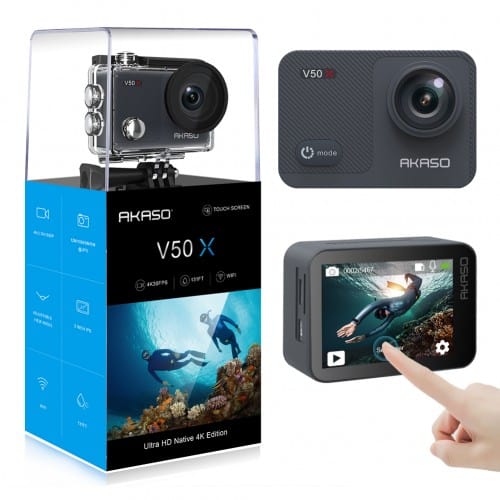
1. AKASO V50X Native 4K
AKASO is becoming one of the biggest names in the budget action camera market. The V50 is their flagship camera line and the only one to boast 4K30fps recording.
Released in July 2019, the AKASO V50X is the upgraded V50. In specs, however, it is much more comparable to the older V50 Pro than the V50. Like the V50 Pro it features an 2-inch IPS touchscreen, adjustable viewing angle and WiFi and gyroscope.
The 12MP Sony sensor produces amazing daylight footage and acceptable nighttime video recordings (no action camera can produce great nighttime footage because the sensors are so small). The ability to record to up to 170° wide-angle means you also won’t miss anything in your shots.
Compared to the V50, the touchscreen is definitely the most welcome new addition, bringing it closer to GoPros which have featured them since the HERO5.
This isn’t the only native 4K camera that retails for under $100. However, I am a fan for two reasons:
A big advantage of going for a well-established company like AKASO is that their firmware is regularly updated and support for their entire product range is generally very good.
The AKASO V50X generously includes a huge accessory kit featuring things like a remote control, 12 different mounts and a waterproof case. You really have everything you need in the box.
AKASO V50X Native 4K Action Camera
Native 4K recording
EIS up to 4K at 30fps
17 Bundled accessories
Note the original V50 has been discontinued and replaced by the V50X, but the V50 Pro and V50 Elite are still around. The V50 Pro is not worth the additional price anymore, but the V50 Elite features 4K60fps and can take 20MP (as opposed to 12MP) photos, which might be worth considering.
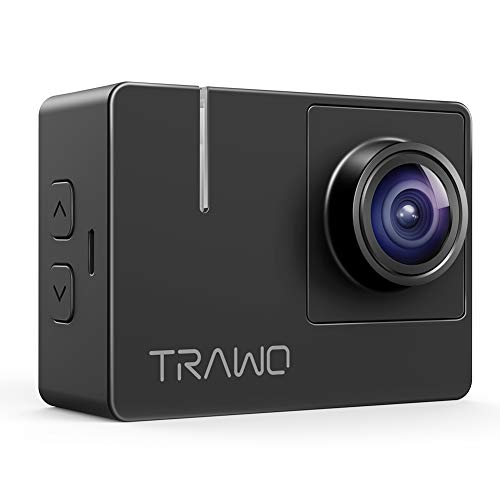
2. Apeman TRAWO
One of the cheapest native 4K action cameras you can find, the Apeman Trawo does everything you need to start recording high quality video with electronic image stabilization.
Previously it one-upped the AKASO V50 with its bigger 1350mAh batteries which gave it superior battery life. However, the V50X now also features 1350mAh batteries which nullifies that advantage. Both can continuously record for an impressive 180 minutes at 1080p.
Compared to the AKASO V50X, its f 1.8 lens and Panasonic image sensor allows it to capture higher resolution 20MP still images, but personally I don’t care much if my action camera takes 12MP or 20MP photos. It’s also slightly cheaper.
On the flipside, the TRAWO’s 2-inch IPS retina display isn’t touchscreen, which makes controlling the camera a little troublesome. It’s true that 90% of the time you’re only looking to hit the record button, but the other 10% of time there’s no touchscreen to navigate the awkward menus.
Overall the Apeman TRAWO is another great native 4K action camera, but we’d still give the nod to the AKASO V50X.
Apeman TRAWO Action Camera
Native 4K/30fps video
20MP Super Photos
Up to 40m dive
Bundled Accessories
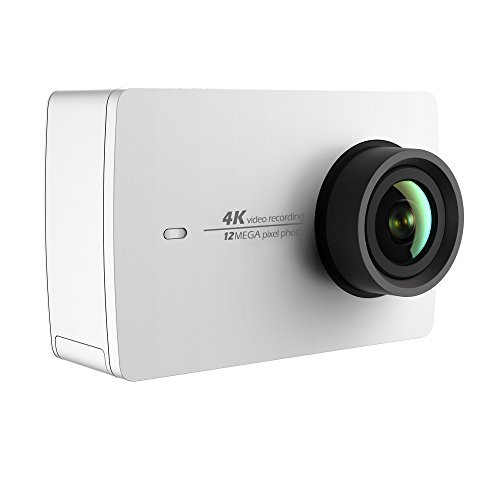
3. YI 4K Action and Sports Camera
It’s no secret that Yi are GoPro’s biggest competitor, with the image quality of the Yi 4K+ often being directly compared to the GoPro HERO series.
The 4K+’s younger brother, the Yi 4K, can often be picked up for less than $100. With 4K @ 30fps recording, the ability to capture 12MP raw stills with EIS and a nice scratch-resistant, gorilla glass 2.2-inch touchscreen display, the Yi 4K is a very solid action camera.
However, the overall package is a little bit expensive for what it is. It doesn’t feature an accessory pack, whereas most budget action cameras do. Granted, a lot of us don’t plan on taking our action camera underwater or mounting it to a helmet, but that isn’t the point. For a camera that isn’t superior to the likes of the AKASO V50X or Apeman TRAWO, it doesn’t offer the great value for money it did back in 2017.
Native 4K recording
12MP Raw Image with EIS
Live Stream support
Choice of colors
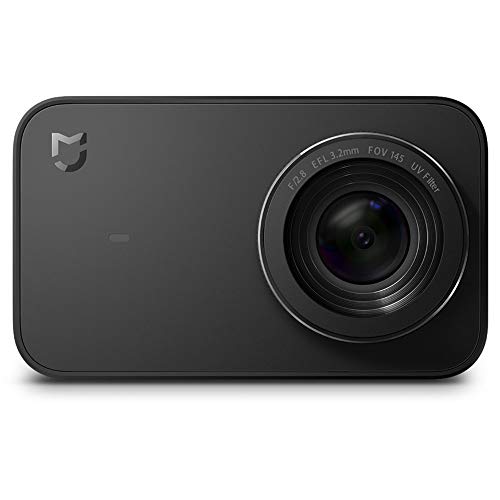
4. MI Xiaomi Mijia 4K
In the last few years, Xiaomi has quickly gained a reputation for being a high quality, budget friendly Android phone manufacturer. Now it appears they are having a stab at the action camera market, too.
The Xiaomi MI Mijia 4K is an excellent native 4K action camera. Capture quality is on par with the V50X and Yi 4K. The camera itself also looks incredibly sleek and sexy.
While the Mijia 4K generated a lot of hype around its release, it hasn’t done particularly well. Partly because it is too expensive (it costs over $100 and doesn’t do 4K @ 60fps) and partly because its maximum field of view is limited to 145-degrees.
Overall, it’s a decent camera, but doesn’t shake up the market like Xiaomi have been known to do in the past.
Native 4K recording
EIS up to 4K at 30fps
Touchscreen
145-degree wide angle
The Best Action Cameras Under $100 (That Aren’t Native 4K)
If native 4K isn’t necessary, our options for action cameras costing below $100 are plentiful. In fact, they’re too plentiful. Finding the right one is a daunting challenge.
Most of these cameras record fairly similar quality video. Many of them share the same 16MP or 20MP image sensors which deliver acceptable 2.7K footage at 30fps or 1080P@60fps.
To help you decide on the best camera for you, I’ve listed my top picks based on your intended use. Hopefully I’ve got you covered.
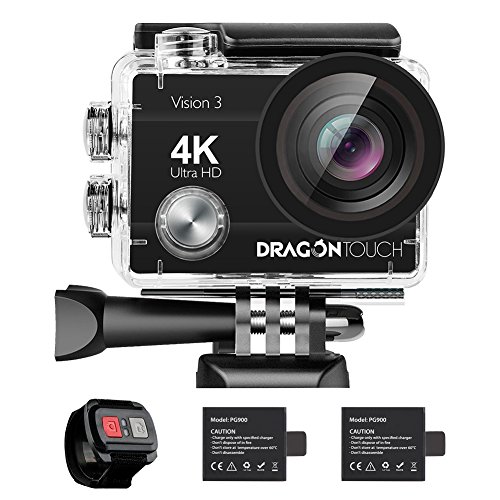
5. Dragon Touch 4K Action Camera 16MP Vision 3 (Best Under $50)
If you’re simply looking for the cheapest entry-level action camera look no further than the Dragon Touch 4K Vision 3.
It’s costs less than $50 and does a decent job of recording HD video at 60fps. Higher resolution recording, up to 4K@30fps (upscaled) is also possible.
Like most budget action cameras on the market there is no shortage of bundled accessories. The included wrist-strap remote is quite basic but does the trick for taking photo and capturing video without having to touch the camera itself.
You might think the software might be a problem coming from a relatively unknown brand like Dragon Touch. However, I found it to be surprisingly usable, which shouldn’t be too surprising since Dragon Touch are primarily a tablet producing company.
Records up to 4K at 30fps
Bundled Accessories
Note that despite the name, the Dragon Touch Vision 3 does not feature a touch screen. Dragon Touch is just the name of the manufacturer!
The Dragon Touch Vision 3 is currently my recommendation for the best under $50 entry-level action camera available today. If you want an external mic and EIS, take a look at the Dragon Touch Vision 4
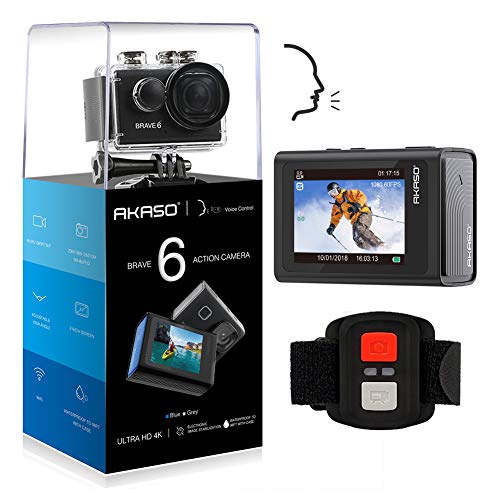
6. AKASO Brave 6 (Best To Feature Voice Control)
Sometimes using a remote or fidgeting with the buttons on the action camera itself can be too much of a hassle.
Recently I’ve been controlling my GoPro with voice commands and it’s a really useful feature.
Voice control using various voice commands is a relatively new feature for action cameras. Most action cameras are yet to feature it, let alone the budget ones.
The AKASO Brave 6 is really the only choice you have when it comes to sub-$100 action cameras featuring voice commands (besides the more expensive ThiEYE T5 Edge I discussed earlier).
The voice commands are typically short phrases like “Akaso Take Photo” which will be picked up by the camera’s mic.
The AKASO Brave 6 features a decent 20MP sensor which is similar to that of the AKASO EK7000. It’s nothing special but typical for a decent budget action camera.
It also features Electronic Image Stabilization (EIS) which reduces the impact of camera shake via electronic processing (software). That is another reason why it costs more than most other non native 4K action cameras.
AKASO Brave 6 4K 20MP WiFi Action Camera Voice Control
Records up to 4K at 30fps
Voice Control
Electronic Image Stabilization (EIS)
Bundled Accessories
Whether or not you should buy the AKASO Brave 6 should ultimately come down to whether or not you value having voice activated controls.
The price is not much cheaper than the ThiEYE T5 Edge, so seriously consider stretching your budget if you want superior video quality.
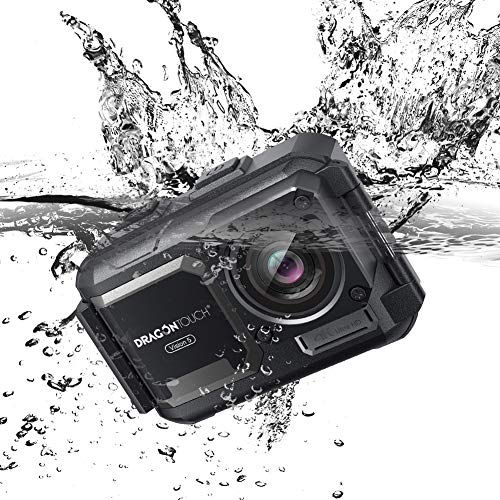
7. Dragon Touch Vision 5 (Best For Water Sports)
Ever since the release of the GoPro HERO5 (released in 2016), GoPros are waterproof out of the box (typically up to 10m). You don’t have to worry about extra casing when you go to swim at the pool, surf around the beach or go kayaking on the river.
However, the vast majority of non-GoPro action cameras are not waterproof out of the box. You need to put them in plastic casing which is usually included in the box. This is not only a bit of a hassle, but using external housing will also slightly reduce audio quality since it adds an extra layer between the sound and mic.
The Dragon Touch Vision 5 is waterproof up to 40m without casing. It’s therefore a great budget friendly GoPro alternative for those who don’t want to deal with external casing.
Now, if you’re only going to surf once a month and plan to mostly record footage of you doing mountain biking or other less ‘wet’ sports, I’d personally get one of the other cameras on the list which offer better bang for buck.
As for video quality, it’s not the Vision 5’s strongest point, and it is very similar to slightly cheaper action cameras like the Vision 3, ACT-74 and AKASO EK7000. In other words, you’re definitely paying a premium for the waterproof design.
Dragon Touch 4K Action Camera 16MP 131ft Waterproof Camera Without Case Vision 5
Records up to 4K at 30fps
Waterproof without housing
Bundled Accessories
All in all, the Vision 5 is a very sensible budget action camera for those who are planning to get the camera very wet.
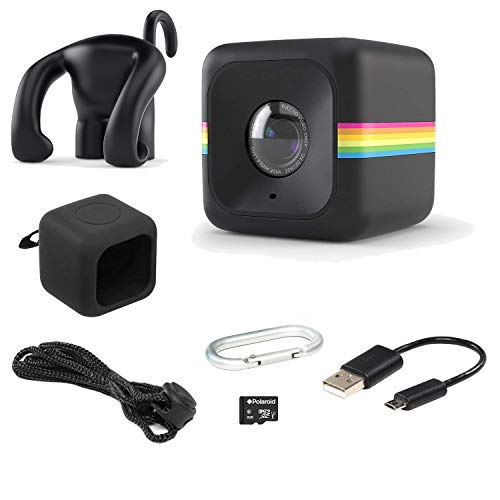
8. Polaroid Cube ACT II HD 1080p (The Cutest Action Camera)
Note: This camera isn’t a sports action camera, but it’s a nice little bonus I decided to include for those who are looking for something different.
Polaroid got their name from building instant cameras, but the company is moving along and has come up with their very own action camera—The Polaroid Cube Act II.
The 124-degree wide angle lens simply isn’t up there with the 170-degree ultra wide angles you’d expect from a ‘true’ sports action camera. That means you don’t capture as much in the video. However, for simple vlogging a less wide angle lens is appreciated (reduces fish eye effect).
With a design similar to the GoPro HERO session, The Polaroid Cube is a very cute action cam that makes a fantastic and affordable gift. It’s very simple to operate and a great way to get a newbie into the world of shooting action videos.
Another nice feature is the built in magnets that makes the Polaroid Cube ‘snap’ onto various metal surfaces and stay in place.
The rubberized Polaroid Cube is only splashproof, so don’t completely submerge it underwater.
Polaroid Cube Act II - HD 1080p Mountable Weather-Resistant Lifestyle Action Video Camera & 6MP Still Camera w/ Image Stabilization, Sound Recording, Low Light Capability & Other Updated Features
Records at 720P or 1080P
Simple to use
Ready to use out of the box (includes 8GB memory card)
At its current price of $39.99 (at the time of writing) it can make a very thoughtful gift. I’m sure any photographer or vlogger would love to have one lying on their desk!
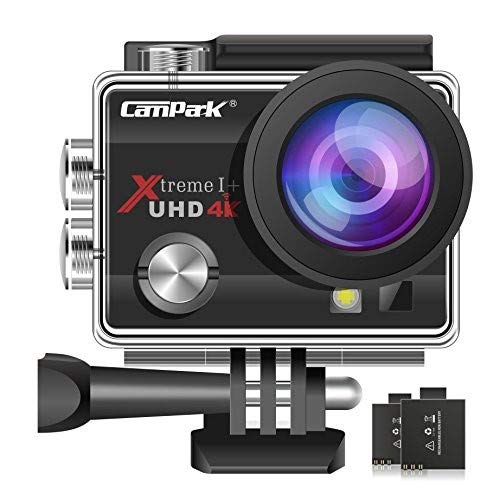
9. Campark ACT74
While marginally more expensive than the Dragon Touch 4K Vision 3, this list wouldn’t be complete without the Campark ACT74 Action Camera which was once the best selling budget action camera on Amazon for almost 2 years running.
It was released back in December 2016 so it is slightly older, but has an incredibly solid track record. Its 2-inch HD screen was a unique selling point before, but that’s already become a standard feature across cheap action cameras.
In terms of features and video quality, it is almost identical to the Dragon Touch 4K Vision 3. Yet it costs a little more and doesn’t come with a remote control so I wouldn’t consider it the best ultra-budget action camera today.
Sale
Campark ACT74 16MP Action Camera
Records up to 4K at 30fps
Bundled Accessories (but no remote)
With stellar Amazon reviews and a lot of praise across the website, the Campark ACT74 might seem like a great choice. However, it’s outdated by today’s standards and the Dragon Touch Vision 3 is a better ultra-budget choice (especially as it includes a remote).
More Buying Advice
Essential Accessories
Almost every action camera will include a battery, charger and USB cable as standard. Note that a micro SD memory card is not included so make sure to buy one if you don’t have one already.
Most cheap action cameras also come with other bundled accessories. Typically this will include a spare battery, mounting accessories, a remote control and a waterproof case.
For most people these accessories will be enough. However, other accessories that might be useful are:
Grip or Gimbal
Tripod
Powerbank
Head or Chest mounting straps
Get An Action Camera With WiFi
All the action cameras listed on this page feature built-in WiFi. It’s an essential feature to have as it allows you to connect your iPhone or Android to the phone. By connecting to your smartphone, you can remotely control your action camera using your phone.
Shooting Video In Low Light
Because action cameras are small by nature, they feature small apertures which take in much light. As a result they aren’t great low-light shooters.
It is helpful to disable any form of Electronic Image Stabilization if you are recording at night. This can improve video quality, but you will need to be aware that the recording will be more sensitive to camera shake.
Diving With Your New Action Camera
Action cameras are designed to be taken underwater. However most action cameras will require them to be put in waterproof housing. Make sure you correctly fit the waterproof case before taking your new action camera underwater.
Some action cameras such as the V50 Pro feature a diving mode which filters red light and improves colours captured underwater.
Battery Life
Action cameras take rechargeable lithium ion batteries. Expect to be able to record between 45-150 minutes per battery.
Recording at higher resolutions and using features like EIS will consume more battery. Most of these budget action cameras come with a spare lithium battery so make sure you carry that around with you.
Shooting Modes
All action cameras feature basic built in shooting modes. The most basic are recording video and taking photos.
Slow motion recording and time-lapse modes are also fairly common. If there are any shooting modes you would like to use, check to make sure the camera features it before purchasing.
Wrapping Up
This concludes my review of the best budget action cameras on the market right now.
2019 is no doubt the beginning of the $100 native 4k action camera. If your budget allows, going for a native 4k action camera will allow you to record much better quality videos.
At the same time, $50 can now buy you a perfectly acceptable action camera that can be taken underwater and controlled using a remote. This offers incredible value for money.
Thanks for reading! I’d really appreciate it if you could leave a comment below and share your thoughts.
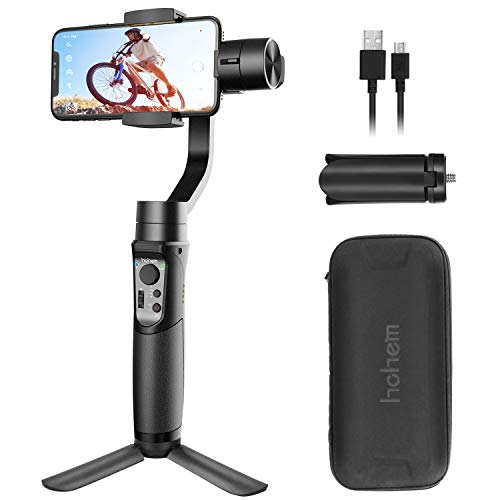
Hohem’s iSteady Pro is one of the bestselling GoPro and action camera gimbals currently available. Its success can be attributed to its ability to deliver fantastic stabilization that you’d expect from a 3-axis gimbal – while costing less than $100.
The new iSteady Mobile is clearly designed to be the iSteady Pro for smartphones, and in this review I’ll see if Hohem have been able to deliver another handheld gimbal that presents good value for money.
First Impressions
Like the iSteady Pro, the iSteady Mobile certainly doesn’t feel like a $99 gimbal in the hands. The plastic construction feels just as durable as high end gimbals and the rubberized grip is a generous feature.
The ergonomic handgrip design will be appreciated by those who have experienced uncomfortable shooting sessions with gimbals that feature hand grips that are both unergonomic and too small in the hands.
The iSteady Mobile features a large 4000mAh battery that is claimed to shoot up to 12 hours. That’s much longer than your average mobile gimbal which would do a good job lasting half of that. Since the iSteady Mobile doubles up as a powerbank, the large battery capacity won’t go to waste.
Compatibility
Thanks to its adjustable spring loaded clamp mechanism, the Hohem iSteady Mobile is compatible with virtually any iPhone or Android smartphone. That includes the new iPhone XR, XS, XS Max and so forth.
I had no problems fitting my friends iPhone 8 Plus which is probably biggest phone I tested it with. However, I’ve seen comments that it works well with the Samsung S9 Plus which, being one of the heaviest phones on the market, caused other smartphone gimbals problems in the past.
Controlling the iSteady Mobile
The control scheme for the iSteady Mobile is very straightforward and won’t take long for anyone to get familiar with.
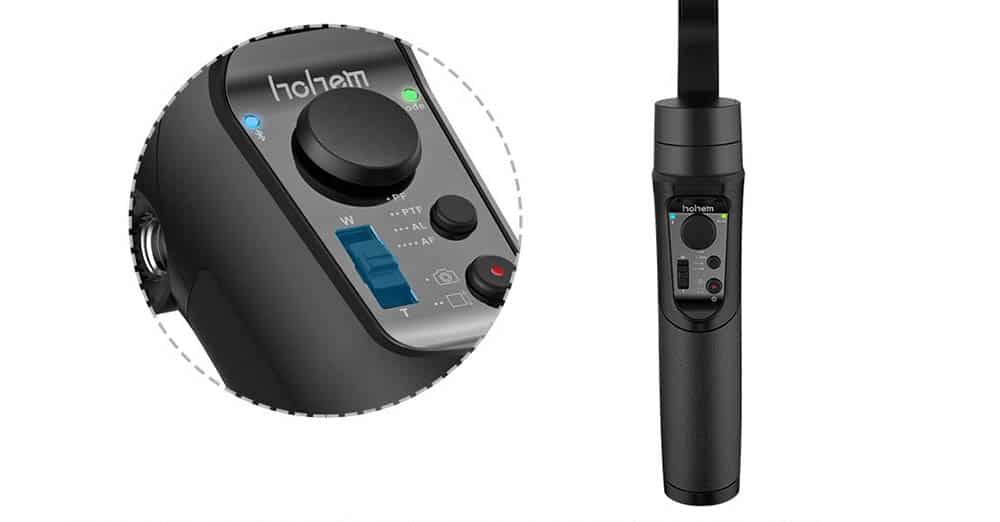
Other than the record/power button, there’s a joystick for adjusting the pan and tilt axes, a mode button that selects the shooting mode based upon the number of presses and finally a zoom slider that controls the digital zoom while recording – much like pinching in and out on your phone’s screen.
Shooting Modes
Like the GoPro iSteady Pro, the iSteady Mobile features a total of 4 different gimbal shooting modes.
The pan follow is the default mode. The iSteady Mobile will keep the tilt axis locked, while following any changes in the pan axis (left to right).
The pan and tilt follow mode only locks the roll axis. This means your camera will follow your movements, but correct keep the camera completely parallel to the ground.
The all lock mode locks all three axes, meaning the gimbal will keep the camera’s orientation locked in position.
Stabilization Performance
Being a 3-axis gimbal, the iSteady Mobile utilizes 3 motors that each work to counteract any shake in each of those axes.
Practically any 3-axis gimbal will be leaps and bounds better than any EIS or OIS solutions your phone might have, and the iSteady Mobile is no exception.
The Hohem iSteady Mobile manages to bring 3-axis gimbal stabilization for a very reasonable price. On top of that, the motors are very quiet so there was barely any noise being picked up by my iPhone’s mic.
However, I would say that the stabilization quality was slightly behind the likes of the DJI Osmo 2 Mobile or EVO Pro.
This became especially apparent when recording while running. The iSteady Mobile had some stuttering as opposed to the cushioned changes in direction produced by the other two gimbals.
Hohem GimSet App
The GimSet App is functional,
I don’t really deduct points for poor smartphone apps in my reviews because most of them aren’t much good. However, in the past I have given bonus points to those gimbals which actually have a decent app.
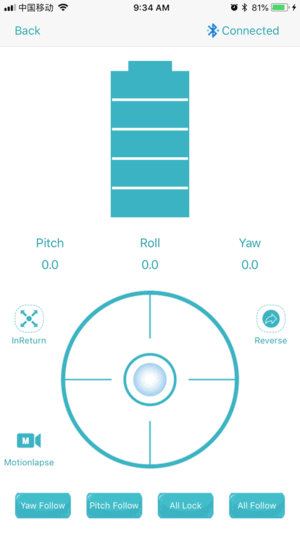
Well, in this case, the Hohem GimSet app simply isn’t very polished so it doesn’t get any bonus points. However, it’s fully functional and fine for remotely controlling the gimbal as well as adjusting its settings via bluetooth.
Conclusion
Pros
Solid image stabilization
Long Battery Life
Price
Cons
Basic software
The Hohem iSteady Mobile isn’t a particularly remarkable gimbal but it gets the basics right.
The attractive price is definitely its biggest draw. While I would personally consider some of the slightly more expensive options on the market, you can’t really go wrong with Hohem’s flagship mobile gimbal flagship.
Rating: 4/5
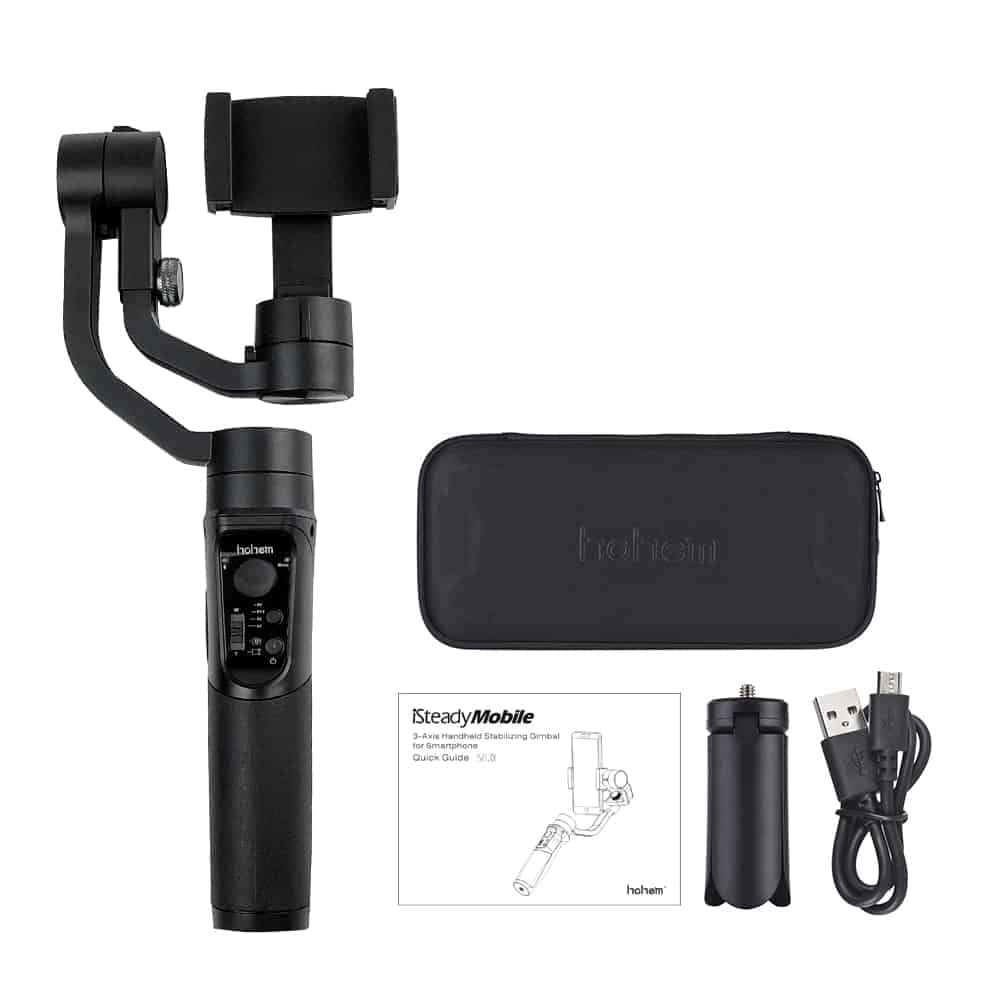
Hohem iSteady Mobile Gimbal For iPhone And Android
[HOHEM ISTEADY MOBILE PLUS, NEW APP "Hohem Gimbal"] --- iSteady Mobile Plus is upgraded from the iSteady Mobile, which is 3-axis phone stabilizer. It can work perfectly with your lovely mobile phones to take more stable and smoother videos and photos.Great After Sales Service With ONE-YEAR Warranty, Please feel free to contact with us for support, Free Toll: 18889658512, Email: support@insomov.com.
[PLAYLOAD UP TO 280G] --- The iSteady Mobile Plus has 30% Torgue improvement on upgraded motors, can support Max Phone Weight. 280g, Max Phone Width::89mm, which supports all of the iPhones and all of the Samsung Smartphones, including iPhone 11 Pro iPhone 11 iPhone XS MAX, XS, Galaxy S10 Plus, S10, etc. (Better to take off the protection case before you install))
[INCEPTION MODE, 3D FANTASY, ROTATING COMPLETE 360°] --- As it can rotate a complete 360° (Paning 600° / Rolling 320° / Tilting 320°), the iSteady Mobile Plus can make a 3D fantasy HD video, like the film "Inception". We called it "Inception Mode".
[SPORT MODE or PHONE GO MODE BY TRIGGER BUTTON] --- It enables the motor to increase the power and react by the corresponding movement quickly and its fast following speed allows to capture the best moment, Just long tap the trigger button, the iSteady Mobile Plus will enter into the sports mode (Phone go mode).
[12HOUR BIG BUILD-IN BATTERY & MUST KNOW] ---This 3 Axis Phone Stabilizer supports 12 hours working, and can be the power-bank to charge for your smartphone anytime. And before turning on, please balance it and install your phone on. This is very very important to protect the gimbal.